Complete privacy
Your tasks live in a single SQLite file on your machine. No telemetry, no signups, no cloud lock-in. The only optional outbound connection is to your own email server.
WorkFlow is a structured personal task manager that runs entirely on your own machine. Five alternative views, multi-dimensional classification, scope and workspace filters, Excel import/export and a built-in email inbox — without a single byte of your data leaving your computer.
A personal productivity tool that respects your data and your attention.
Your tasks live in a single SQLite file on your machine. No telemetry, no signups, no cloud lock-in. The only optional outbound connection is to your own email server.
Importance, Company, Waiting, Due Date, Completed. Switch perspective on the same data depending on whether you need urgency, context, blockers or deadlines.
Connect Gmail (OAuth2) or any IMAP server. Read messages safely in a sandboxed iframe and convert them into structured tasks with one click.
Press n to create a task, ⌘K to search, Esc to dismiss. Inline editing, double-click to rename, undoable completion.
Bulk-import tasks from .xlsx with cell-by-cell validation and inline error fixing. Export the current view to Excel for reports or archives.
Scheduled automatic backups via internal cron. Browse and restore from settings, or trigger a manual snapshot at any time.
Each view answers a different question about your day.
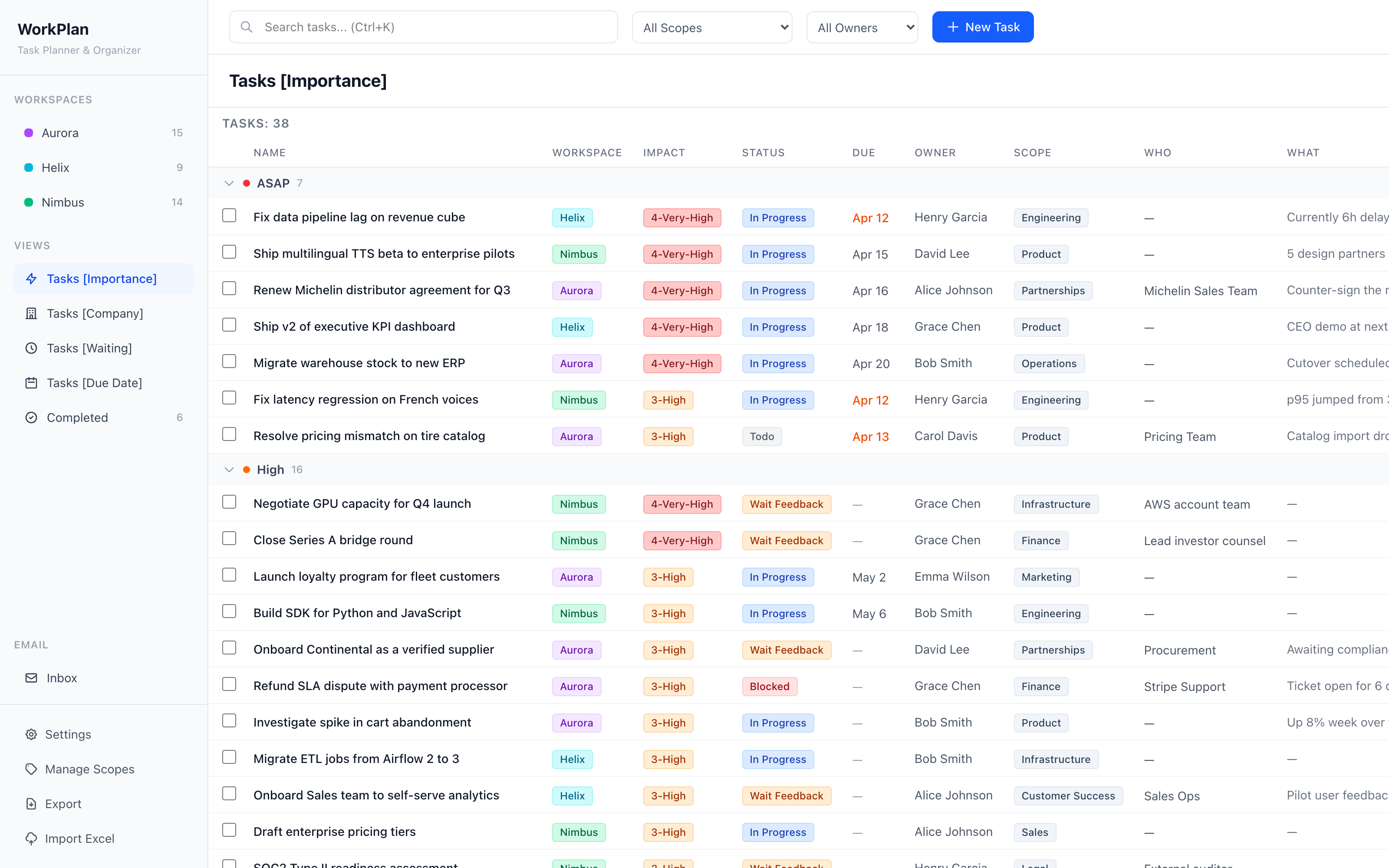
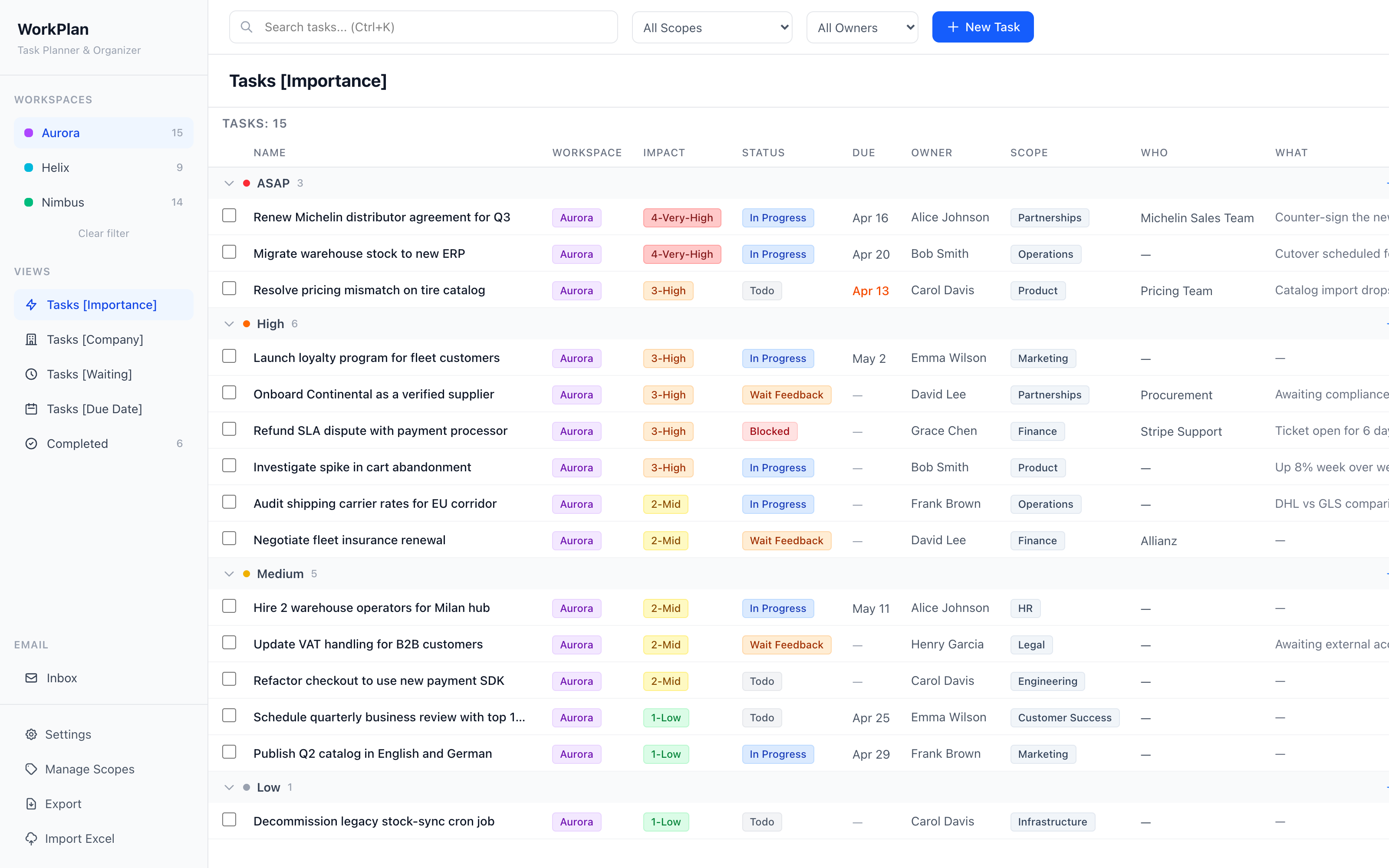
The default view. Tasks are grouped by priority — ASAP, High, Medium, Low — and sorted by descending impact, with the due date as a tiebreaker. It answers the question: “what should I do right now?”
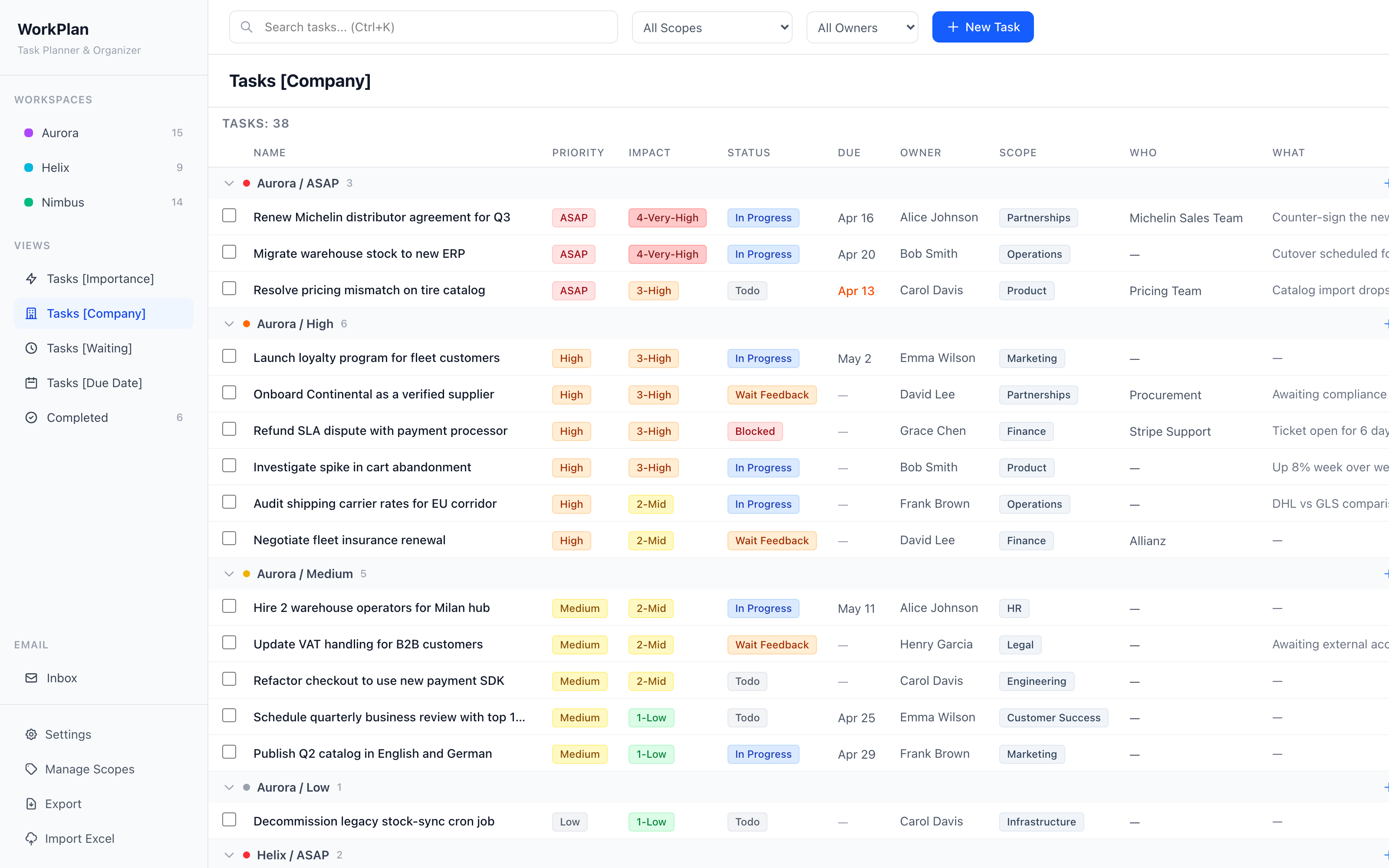
A two-level grouping: first by Workspace (your business areas), then by priority within each workspace. Perfect for reviewing one product or client at a time.
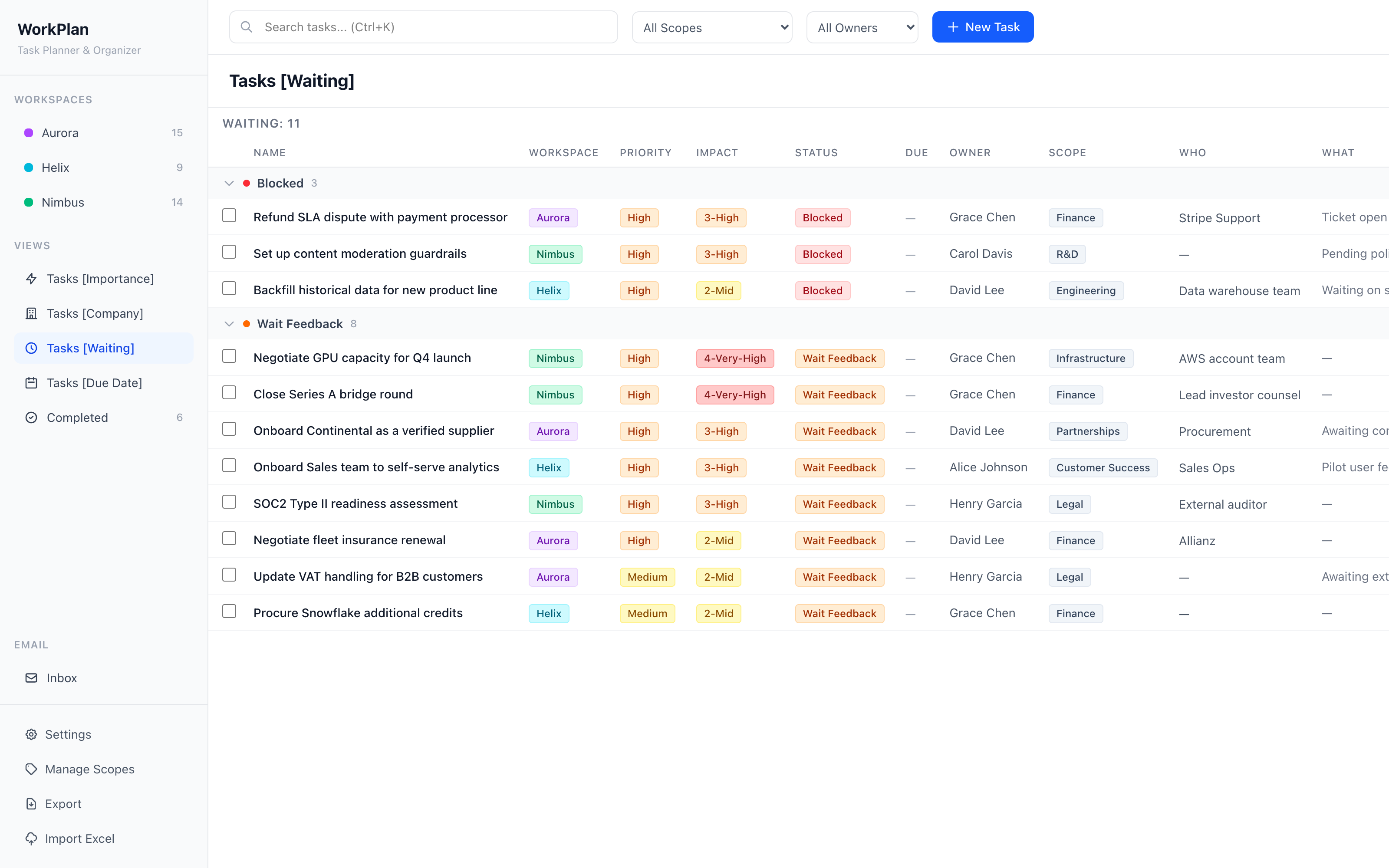
Filtered to show only the tasks that are Blocked or in Wait Feedback. Sorted by priority, then impact, then due date — so nothing falls through the cracks while you’re waiting on someone else.
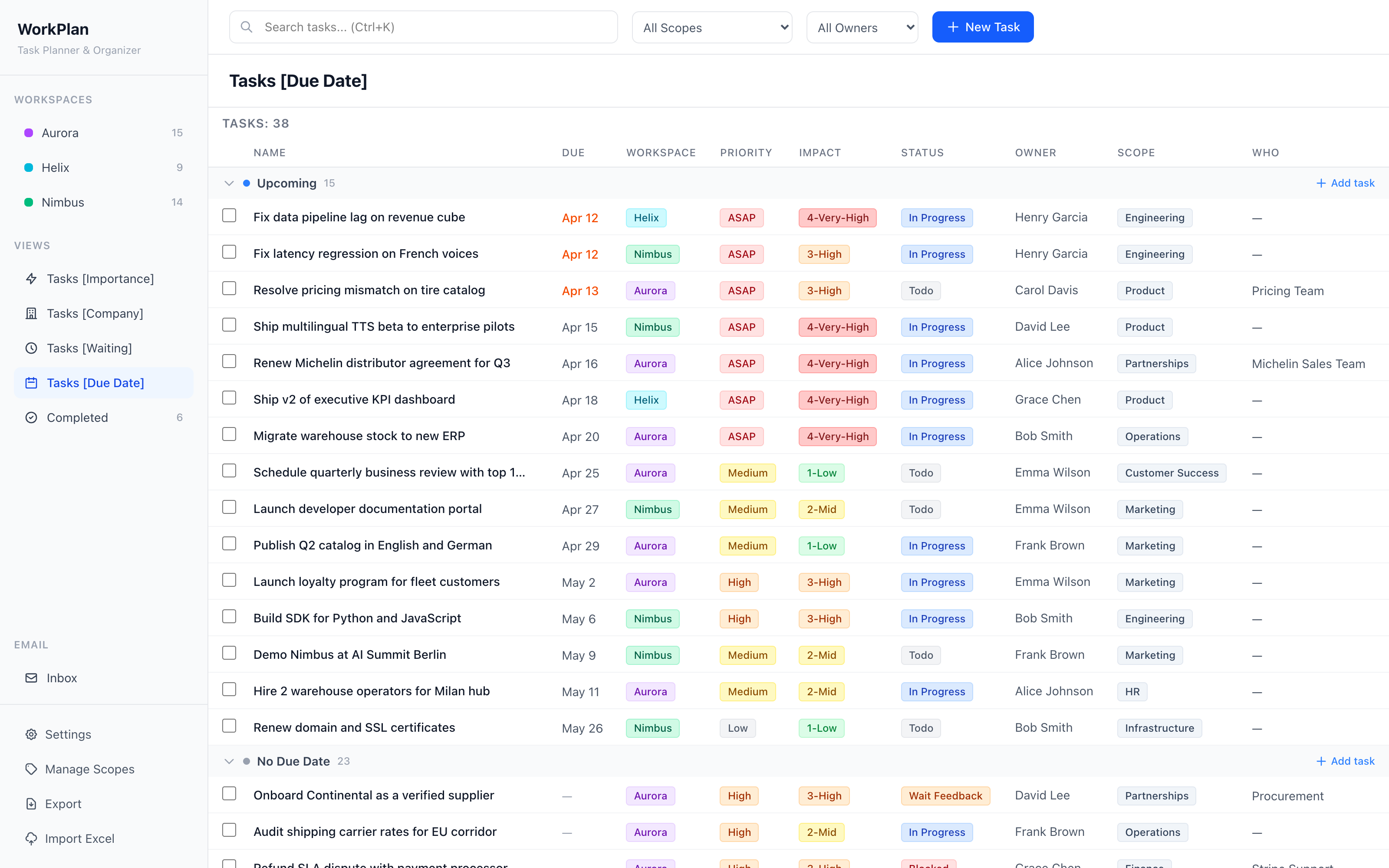
Chronological grouping into Overdue, Today, Upcoming and No Due Date. A red badge in the sidebar keeps the count of urgent tasks visible at all times.
An archive of finished tasks with completion timestamps. Restore any task back to Todo if it was closed by mistake.
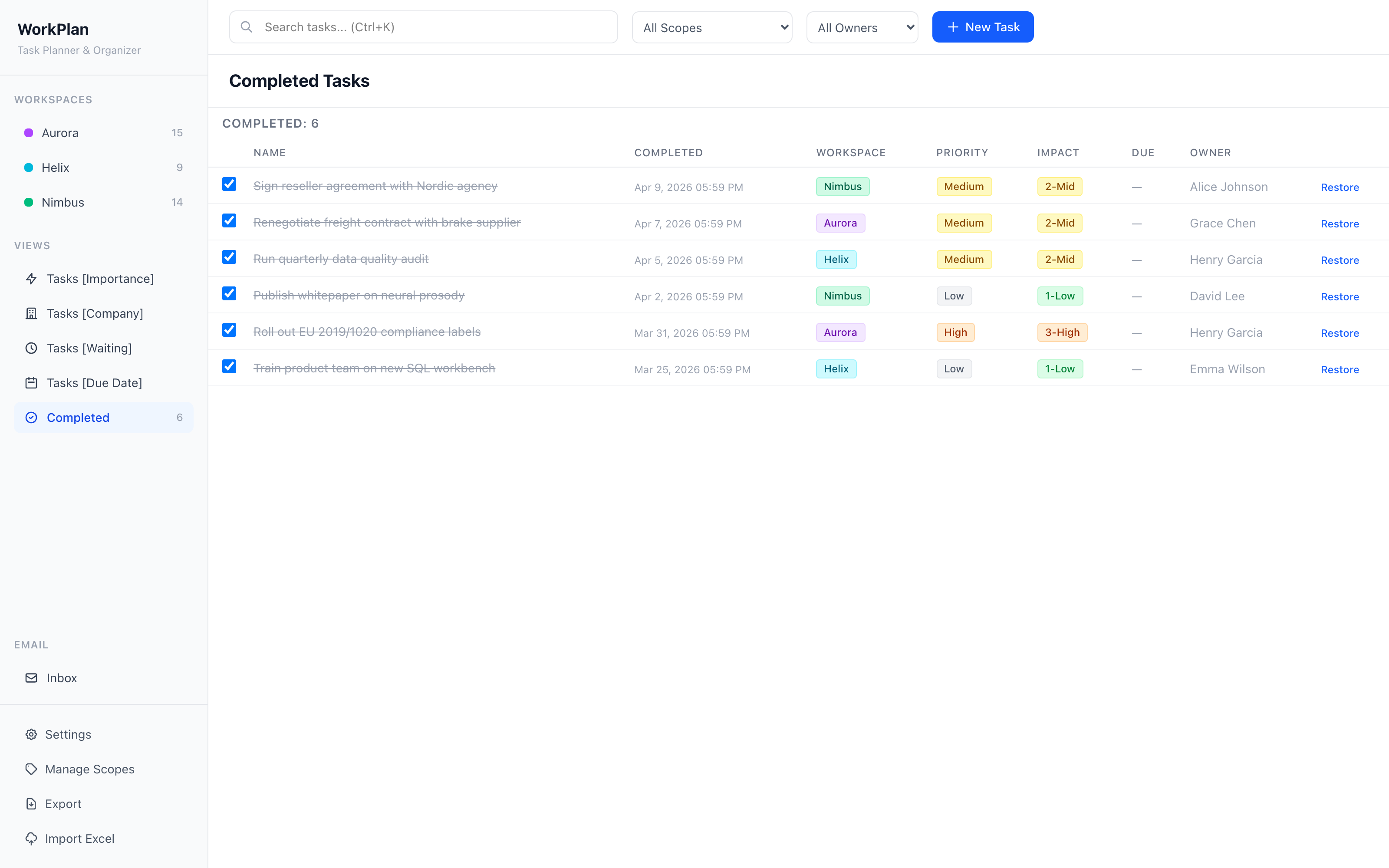
A full visual tour of WorkFlow with demo data.
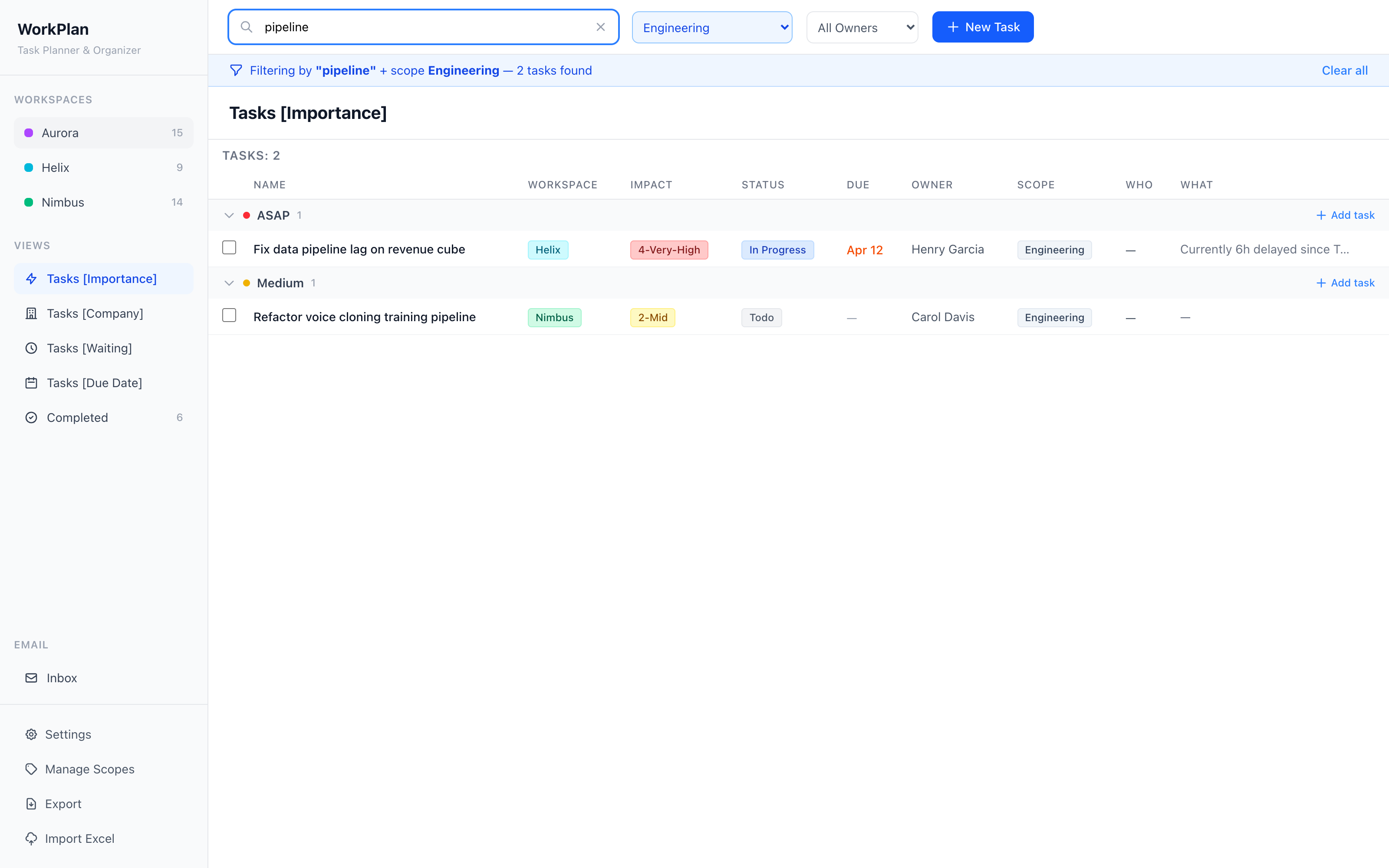
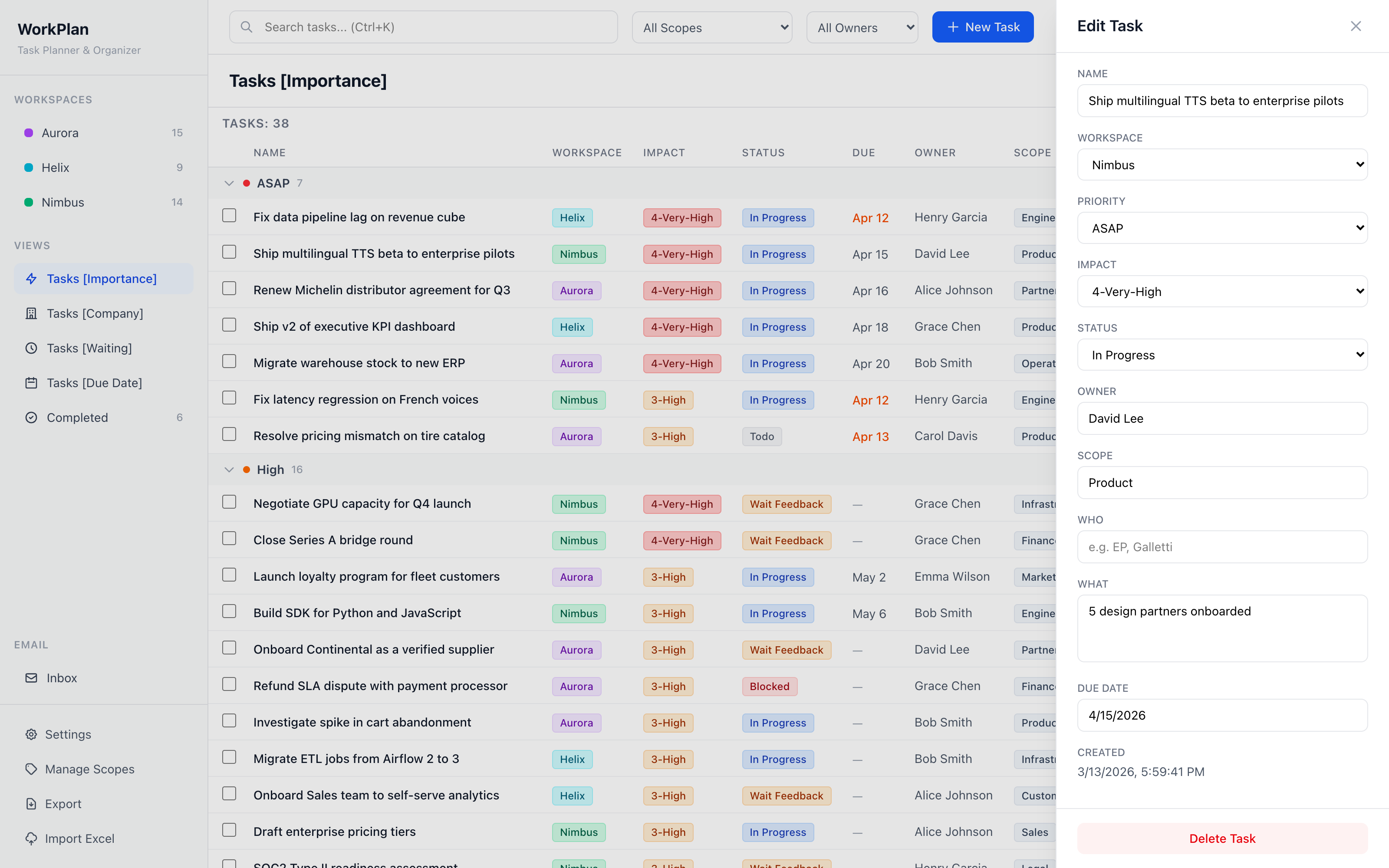
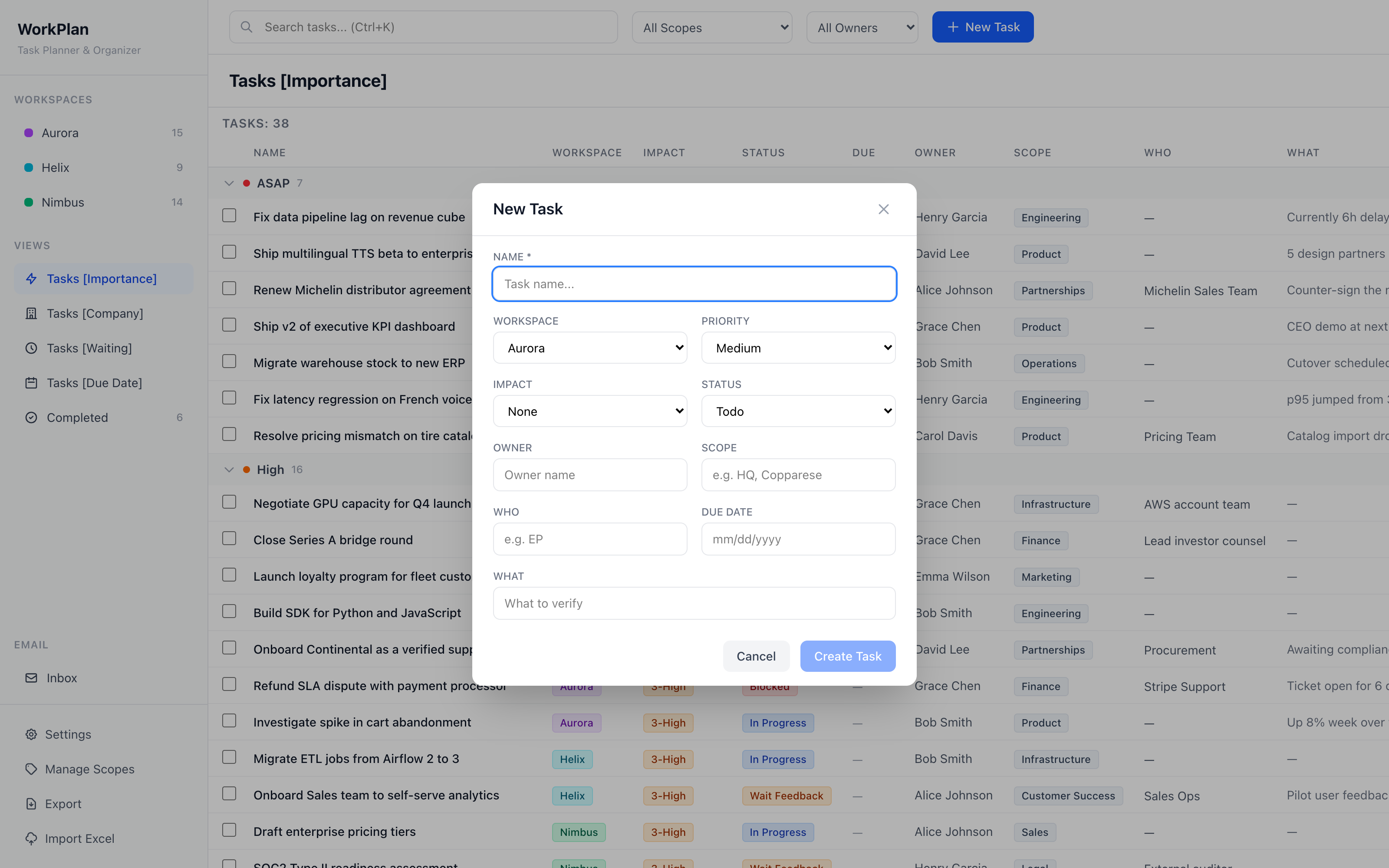
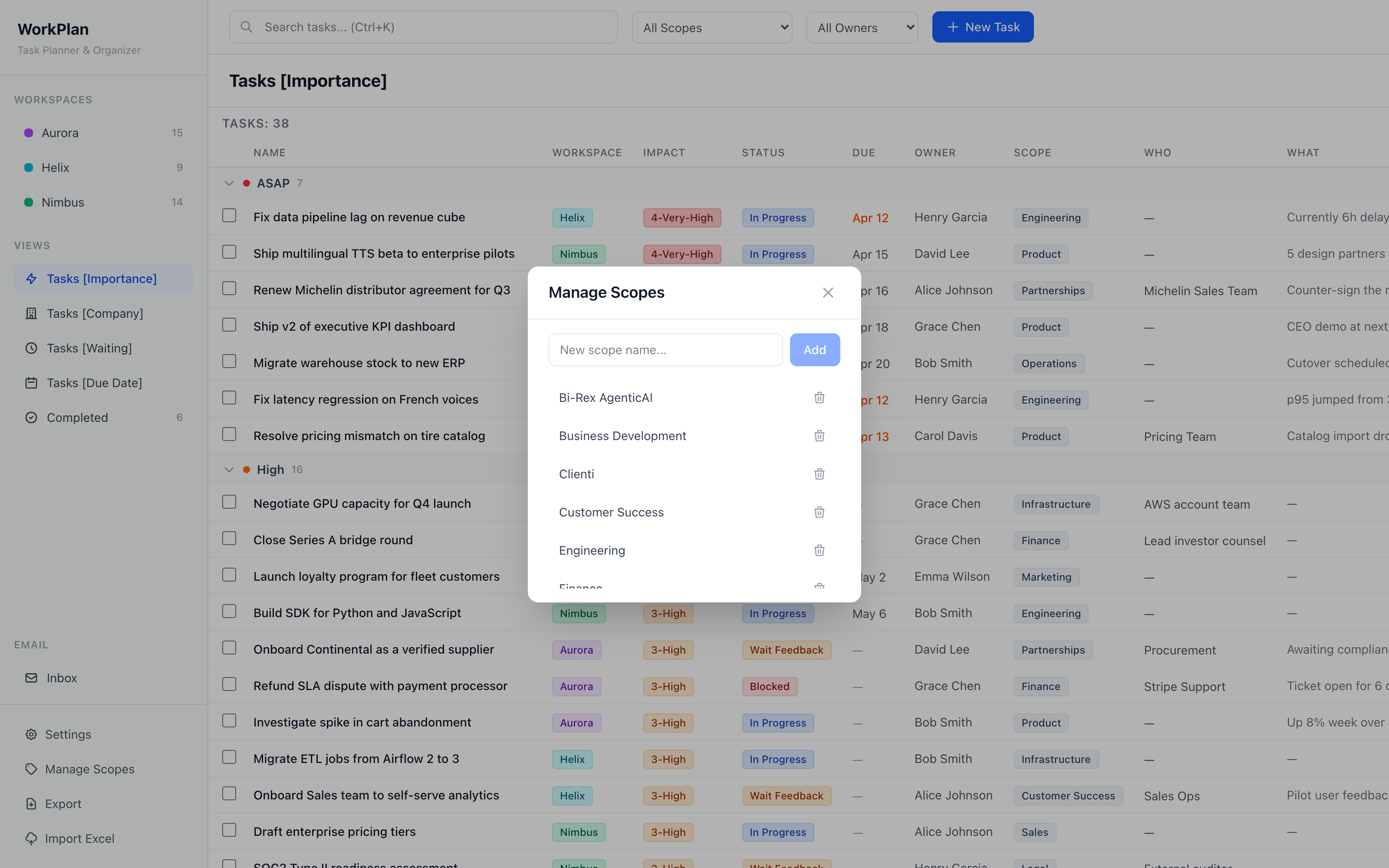
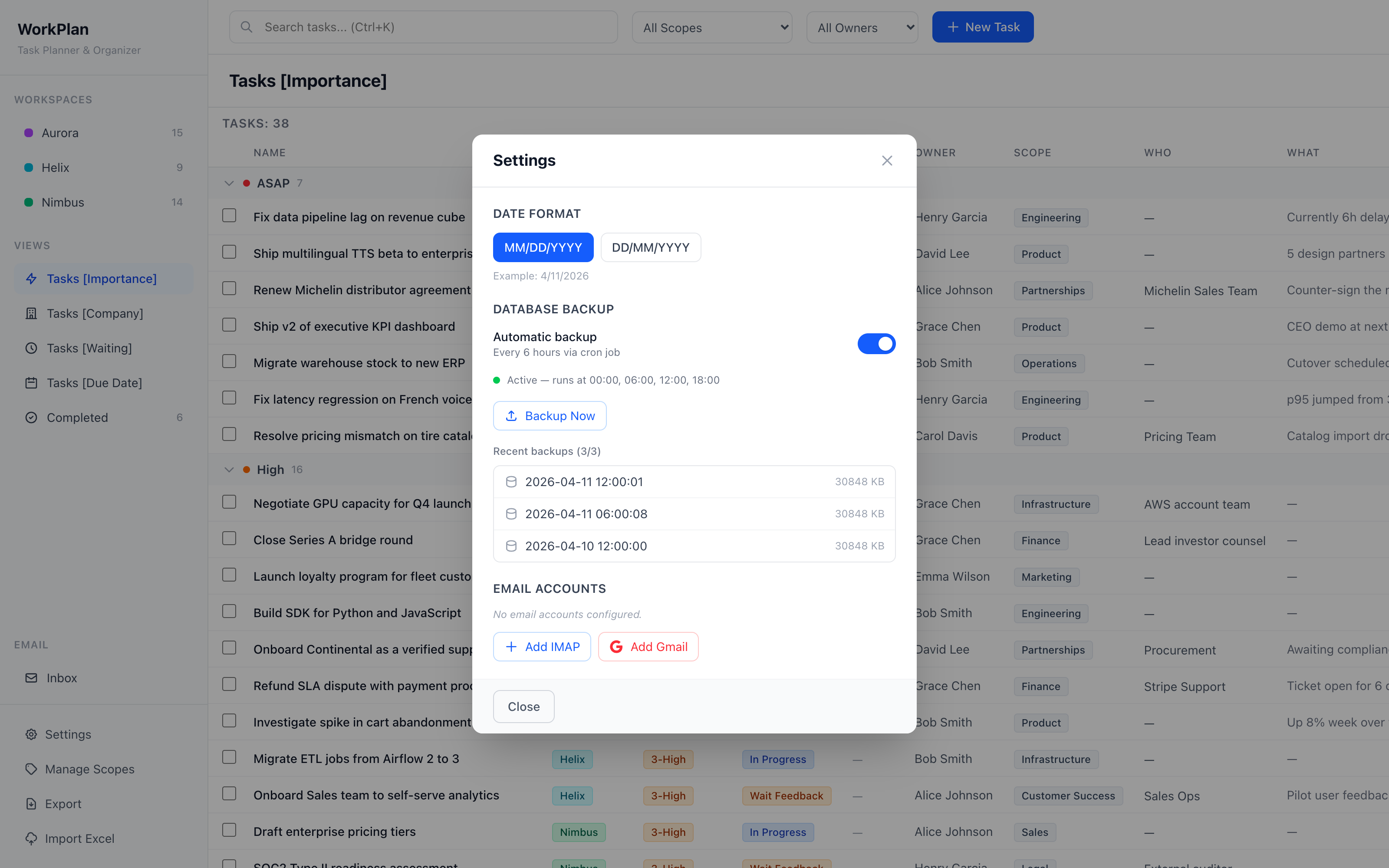
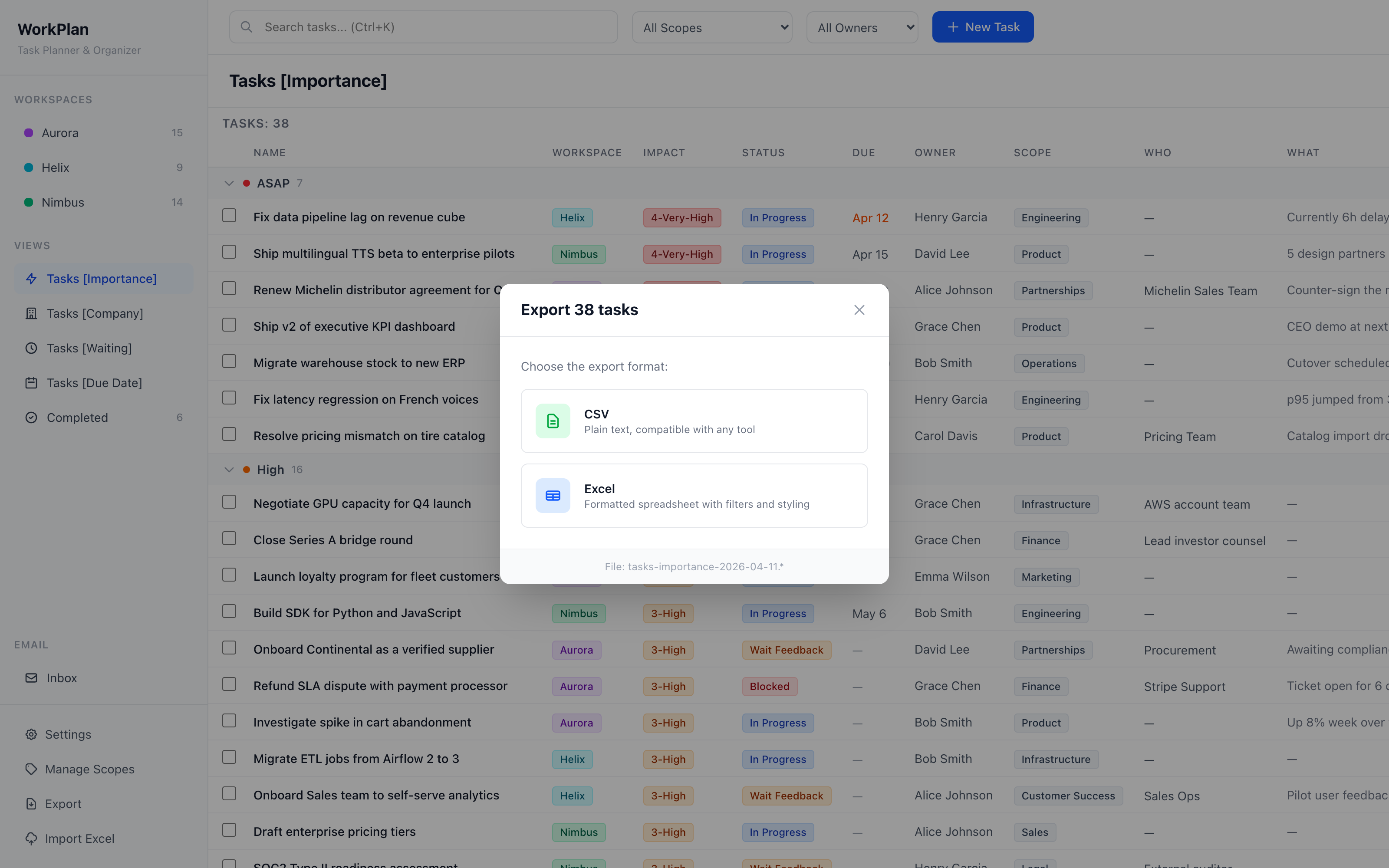
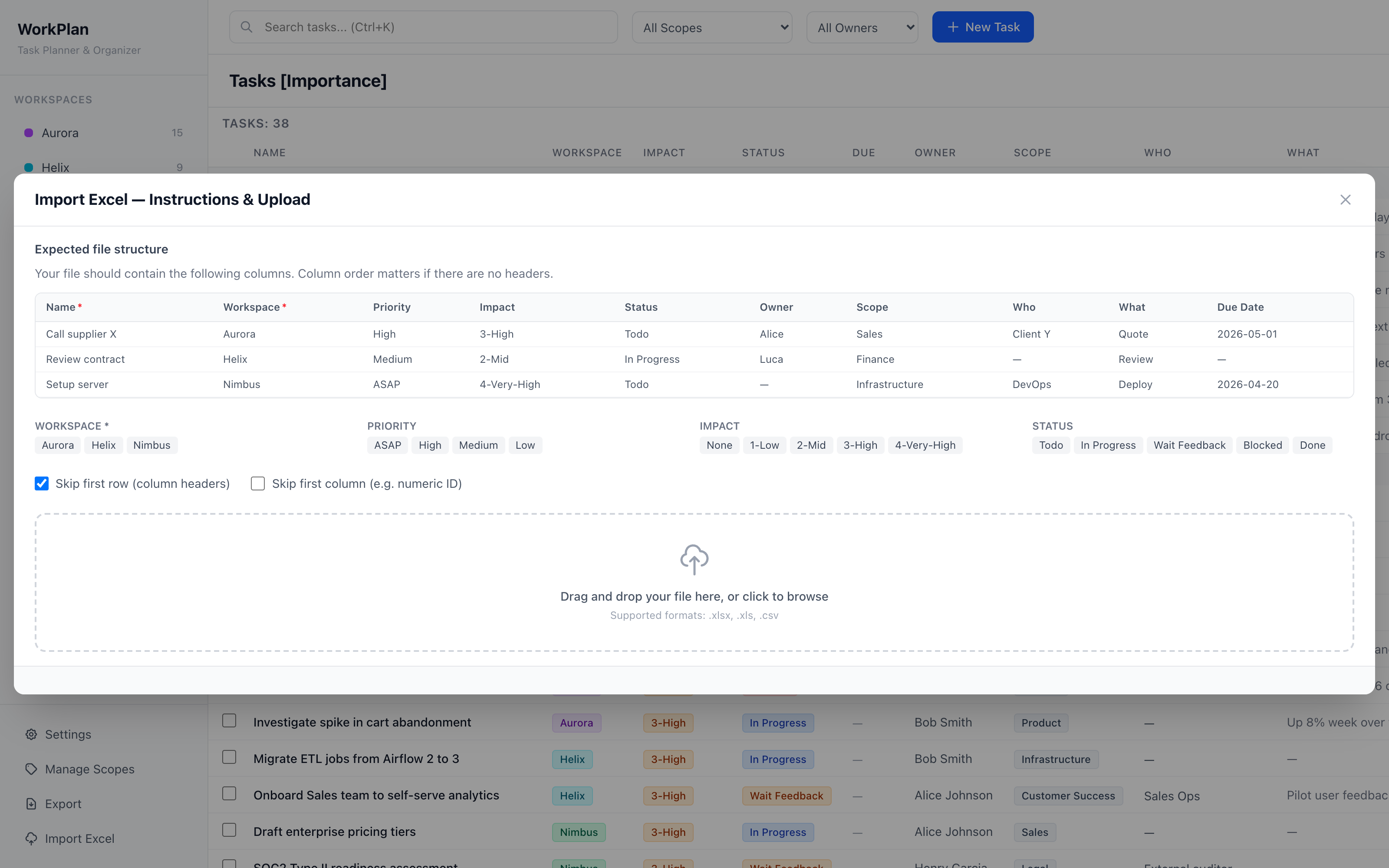
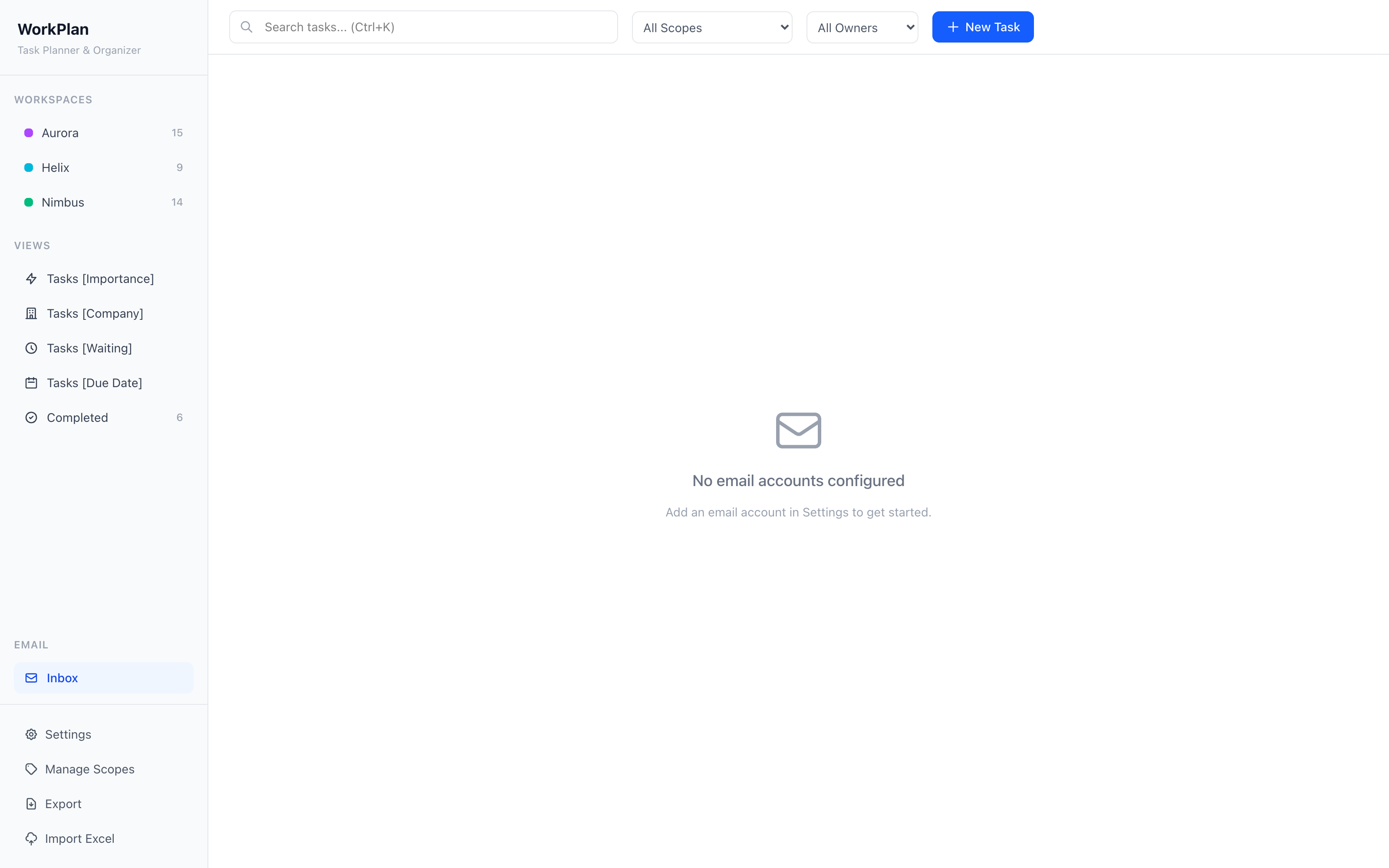
Every task is classified across multiple dimensions you can query and filter.
One license. One installation. One price.
Secure checkout via Lemon Squeezy. Cancel anytime.
In a single SQLite file on your own machine (server/data/crm.db). WorkFlow has no cloud backend. The only optional outbound connections are to your own email servers.
One license covers one running installation of WorkFlow on one machine. If you want to run it on a second laptop, you’ll need a second license.
Yes — every new version released while your subscription is active is included. Updates are delivered as new builds you can drop in over your existing installation.
Yes. Manage your subscription directly through the Lemon Squeezy customer portal. Your installation keeps running until the end of the current billing period.
Anywhere Node.js runs: macOS, Linux and Windows. WorkFlow is a small full-stack app (Express + SQLite + React via Vite) that you launch with a single command.
Get in touch and we’ll set you up with a 14-day evaluation license — no credit card required.
One install. $99 a month. No data ever leaves your machine.
Buy WorkFlow license